Never miss a trade call again.
StreamSyncer listens to the trading livestreams you follow and alerts your phone the second a trader actually enters or exits a trade. You get the call, the price and their own words, while it still matters.
5-day free trial, no card · then $20 a month · cancel any time · Mac (Apple silicon) and Windows
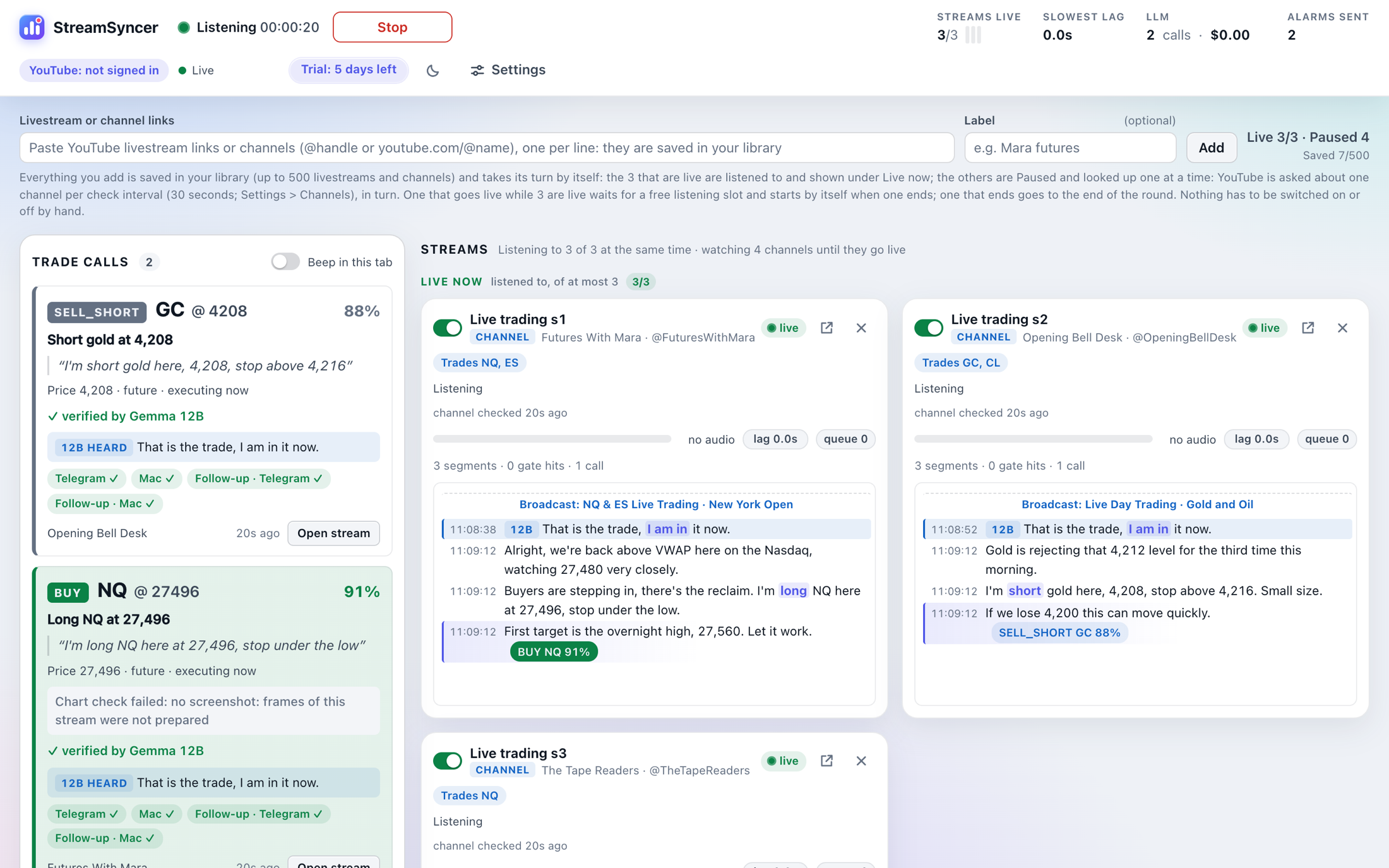

From “I'm long here” to your phone, by itself.
Paste the channels
Add the YouTube channels or livestream links of the traders you follow. They are saved, and watched for the moment they go live.
It listens, live
Speech is turned into text on your computer. The few seconds that sound like a trade go to the detector, and an entry is checked against the chart on the stream.
Your phone tells you
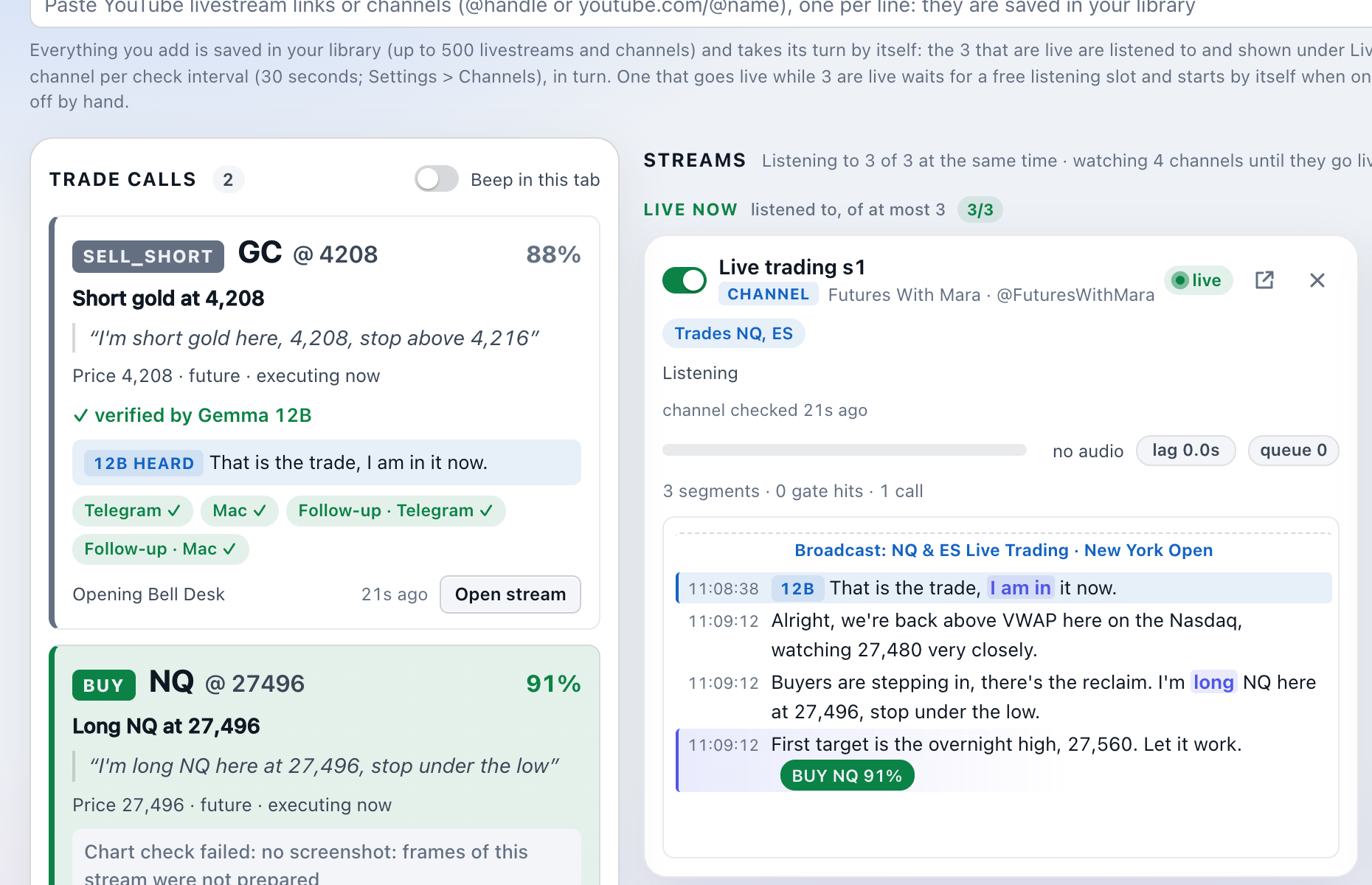
A Telegram message with the trade, the price, the trader's words and the confidence. One tap opens the stream at that moment.
Built for the trader who cannot watch ten streams at once.
Everything below is in both plans.
Listens to the livestreams for you
Paste the YouTube channels of the traders you follow. StreamSyncer notices when they go live and listens to them at the same time, so you can step away from the screen.
Real calls, not chatter
A trader talks for hours and trades for seconds. The detector tells “I am long here” from “I might look for a long later”, and only an actual entry or exit becomes an alert.
Checked against the chart
For an entry, StreamSyncer looks at the stream's picture: when the position is on the trader's chart, the alert says so and its confidence goes up.
On your phone in seconds
The call arrives in Telegram with the trade, the trader's own words, the confidence and a button that opens the stream. A sound and a banner on your computer make sure you notice it.
Exits are followed too
“We got stopped out”, “taking profit here”: an exit is tied to the last trade that stream called, even when the trader does not name the instrument again.
Private by design
Speech is recognised on your own computer with Google's Gemma speech model. You bring your own AI key for the trade detector, or run a local model. No account with us, nothing uploaded to us.
500 channels, zero babysitting
Save up to 500 channels. They are checked one at a time, gently, and whichever goes live takes a listening slot by itself. A stream with a scheduled start is counted down to.
Tell it what a channel trades
Assign instruments to a channel (“this one trades NQ and ES”) and a call like “I'm long here” needs no ticker to be understood.
Confluence: when channels agree
When three different channels stand in the same market on the same side within 15 minutes, the alert says so and names them, and tells you when another channel stands the other way.
Light and dark, both glass
A calm dashboard that shows only the streams that are live now, in a light glass look by default and a dark one for the night session.
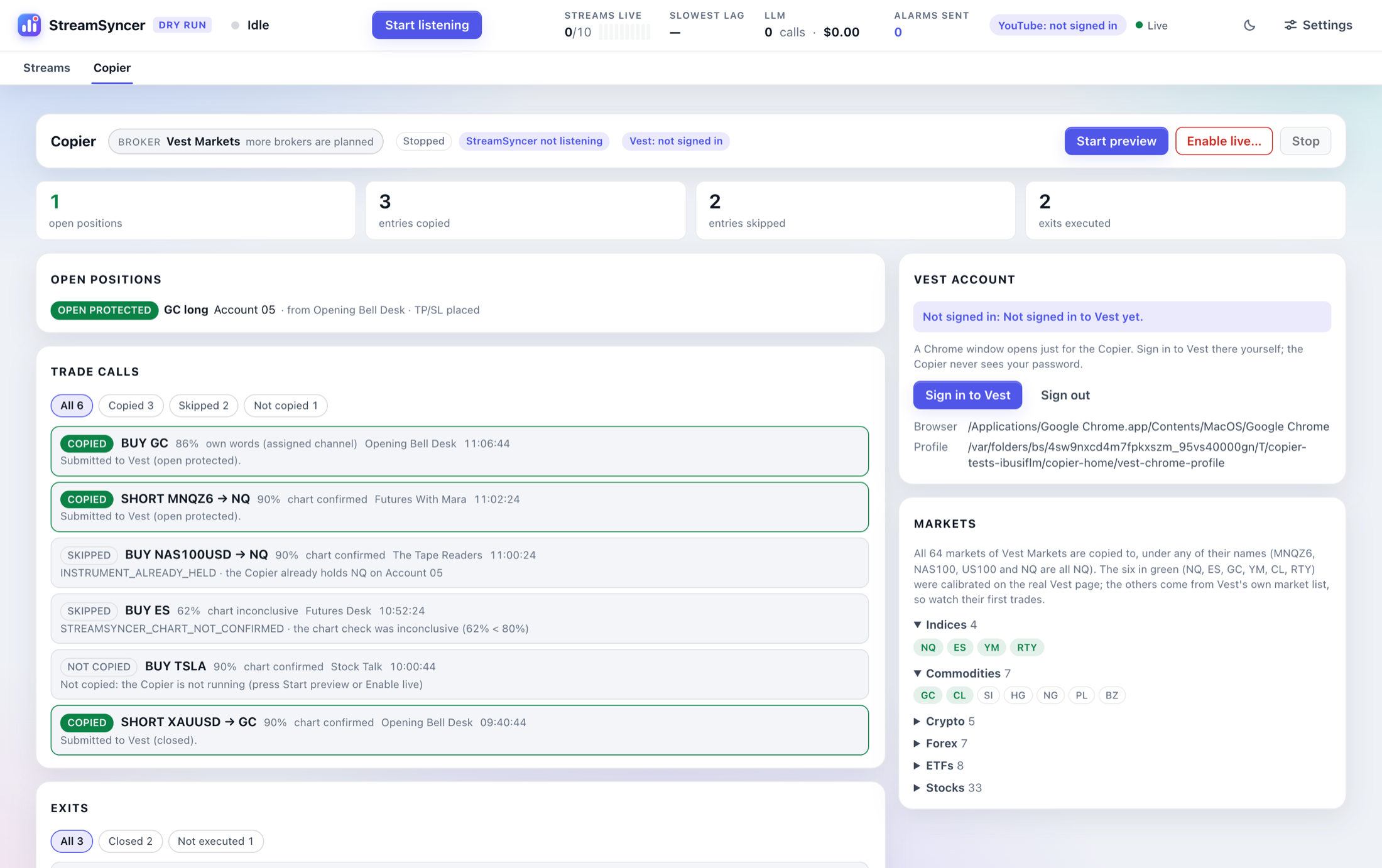
The Copier: from the call to the order.
Pro adds a Copier that reads the confirmed calls and works your Vest Markets account for you, under rules you can read on the screen.
- Confirmed calls are placed on your Vest Markets account, each with its take profit and stop loss
- Preview mode fills in the order form and stops before sending: watch it work before real money is involved
- Exits are followed: when the streamer closes, your copy of that trade is closed at market
- Confluence: when three different channels stand in the same trade within 15 minutes and nobody stands the other way, the third call is copied at once, without waiting for the chart to confirm it. You can switch it off, or copy confluences only
- 64 Vest markets under any of their names (MNQ, NAS100 and US100 are all NQ)
- You choose the risk: the share of the account per trade (15% recommended), and a stop loss and take profit in dollars
- Trade every account, or name the ones to use: Account 04, Account 05, Account 13
- One position per instrument, a daily loss guard and a price-distance check on every call
- Every call shows what happened and why: copied, skipped or held for review
- Listens to 10 livestreams at the same time
Version 1.0 supports Vest Markets two-step funded accounts (Silver $5K, Gold $10K, Platinum $25K, Emerald $50K). More account types and brokers are planned.
Two plans. Monthly. Cancel any time.
StreamSyncer
Live trade-call alerts from the livestreams you follow.
- Listens to 3 livestreams at the same time
- Up to 500 saved channels, watched for you
- Telegram alerts, plus a sound and banner on your computer
- Chart check and exit tracking
- 5-day free trial
StreamSyncer Pro
Everything in StreamSyncer, plus the Copier.
- Listens to 10 livestreams at the same time
- The Copier for Vest Markets, with preview mode
- Take profit and stop loss on every copy
- Your risk: % of the account, stop loss and take profit in $
- Confluence calls copied: 3 channels within 15 minutes
- Everything in StreamSyncer
Prices in US dollars. Subscriptions are sold and billed by Gumroad. You also need your own AI key (or a local model) for the trade detector.
See the calls before you install anything
Our own copy of StreamSyncer posts the trade calls it hears to the community, live. Join and watch it work.
Good to know before you start.
Is this financial advice or a signal service?
No. StreamSyncer is a tool that listens to public livestreams you choose and tells you what was said. It does not pick trades, and it cannot know whether a trader's call is a good one. What you do with an alert is your decision.
How does the 5-day free trial work?
Download StreamSyncer and start it: it runs for five days without a licence key and without a card. After that it asks for the key you receive when you subscribe ($20 a month). Cancel any time from your Gumroad library; the app keeps working until the end of the period you paid for.
What do I need to run it?
A Mac with Apple silicon (M1 or newer) and macOS 14 or newer, or a PC with Windows 10 or 11 (64-bit; a graphics card is recommended, without one the app listens on the processor, which is slower). Google Chrome must be installed. The speech model is downloaded once (several GB). For the trade detector you add your own AI key (OpenRouter, OpenAI, Anthropic, Google and others are supported) or point it at a local model.
What does the AI key cost me?
Only the short moments that sound like a trade are sent to the detector, so the usage is small: typically a few cents per stream per day with a fast model. You pay your AI provider directly; we add nothing on top.
What is the difference between StreamSyncer and StreamSyncer Pro?
StreamSyncer listens to 3 livestreams at a time and alerts you. StreamSyncer Pro listens to 10 and adds the Copier, which can place confirmed calls on your Vest Markets account automatically.
Which accounts does the Pro Copier work with?
Version 1.0 of the Copier works with Vest Markets through its web page. It trades the two-step accounts of Vest's funded programme: Silver $5K, Gold $10K, Platinum $25K and Emerald $50K. It reads each account's own limits on Vest's page and skips an account whose limits it does not recognise, so one-step and instant accounts are not traded yet. Accounts must keep Vest's own names (Account 01, Account 02, …); you can let it use all of them or name the ones to trade. Check your prop firm's rules on automation before going live.
Windows says it protected my PC. How do I install it?
The installer is not signed yet, so Windows may show “Windows protected your PC” when you run it. Choose More info, then Run anyway. The app installs for your own Windows user and needs no administrator rights.
macOS says the app cannot be verified. How do I open it?
The first time, right-click (or Control-click) the app in Applications and choose Open, then Open again. On newer macOS versions: try to open it once, then go to System Settings > Privacy & Security and press Open Anyway. You only need to do this once.
How is the licence checked?
The app verifies your key with Gumroad when you enter it and then once a day. If your computer is offline it keeps working for three days. A cancelled, refunded or failed subscription stops the app at the end of the paid period.
Can I use it on more than one computer?
Yes, a key works on your own computers. Keys that are shared widely are switched off.
The next call is minutes away.
Let StreamSyncer listen, and get on with your day.